

Viking Voyage
New Student Orientation
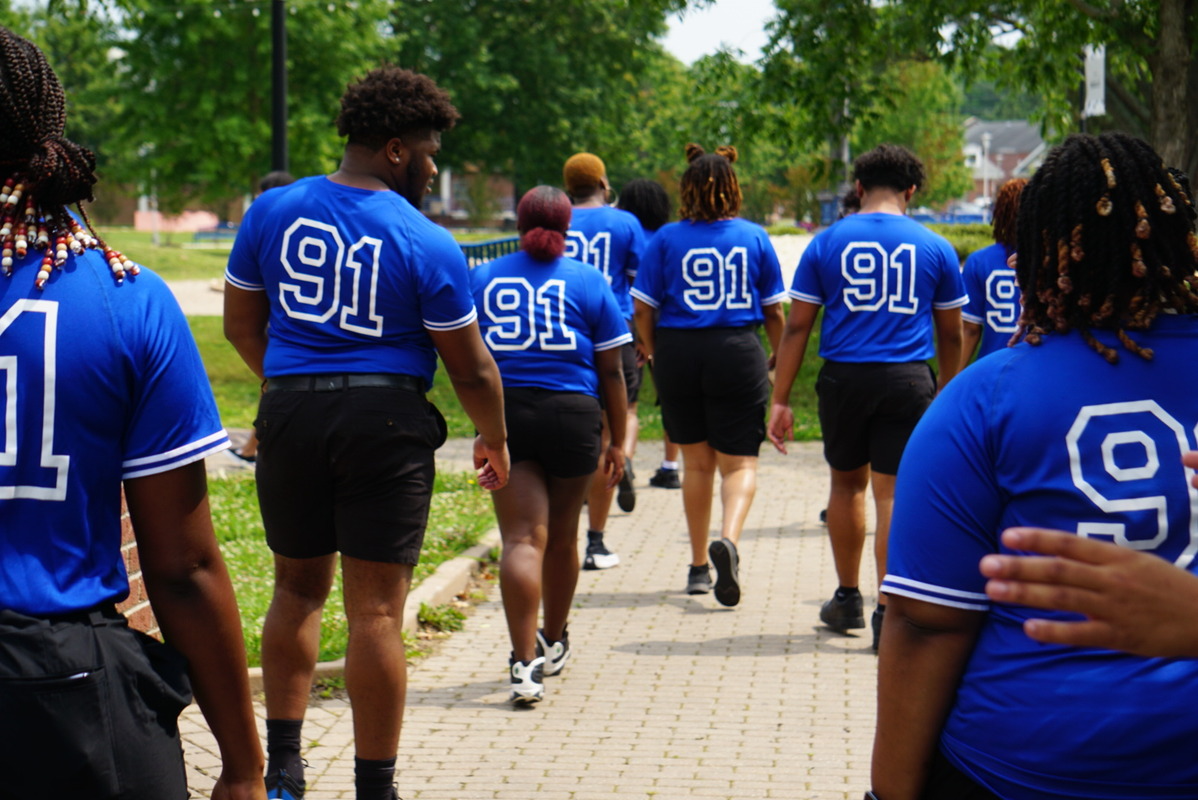
Congratulations and welcome to Elizabeth City State University, home of the Mighty Vikings!
We are excited at the thought of having you join the ECSU family, and we look forward to serving you and your family members in the near future. The first step in beginning your Viking Voyage is to attend one of our New Student and Family Viking Voyage Orientation (VVO) sessions.
Contact
- New Student Orientation
- Ridley Student Center, Suite 211
Get Started in 3 Steps
Step 2: Register for Orientation
Register for your upcoming New Student Orientation session
Step 3: Complete Your Checklist
Your checklist to have a smooth transition to becoming a Viking
Important Dates
| Date | Time | Audience | Delivery |
|---|---|---|---|
|
June 18
NSO (in-person) |
9:00am – 1:00pm |
Transfer Students |
in-person |
|
June 23 – 24 |
12:00pm – 4:00pm |
Freshmen |
in-person |
|
July 14 – 15 |
12:00pm – 4:00pm |
Freshmen |
in-person |
|
July 22 |
6:30pm – 8:00pm |
All undergraduates |
virtual |
Please remember orientation is mandatory and fees are non-refundable.
Incoming Freshmen
We strongly encourage all first-time freshman and new incoming students to attend the in-person overnight orientation experience. This session provides an opportunity to connect with fellow Vikings, explore campus resources, engage with faculty and staff, and begin building your ECSU community before the first day of classes. The over night experience is designed to help students feel prepared, confident, and excited for their Viking journey.
Transfer Students
Transfer students are encouraged to attend the in-person or virtual orientation session.
Adult Learner (ages 25+)
What You’ll Do at Orientation
- Meet academic advisors
- Register for classes
- Explore campus resources
- Connect with other students
- Experience Viking culture
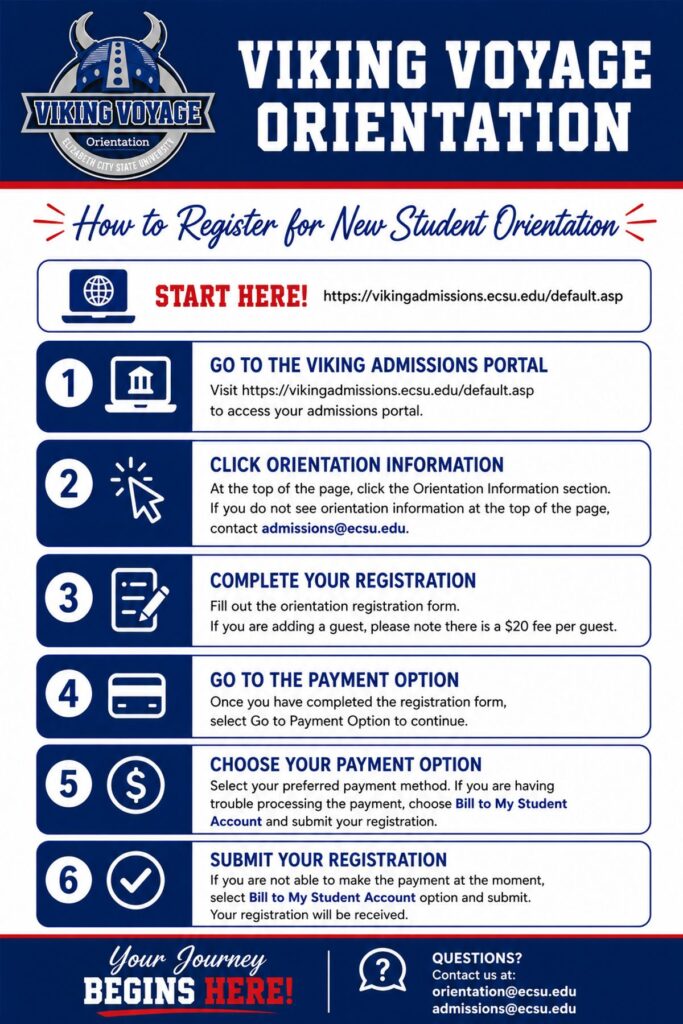
Freshmen
June 23rd – 24th 12:00pm – 4:00pm (in-person): 24th 8:30am – 2:00pm (in-person)
Day 1 June 23rd: Parents will end at 4:00pm. Students will end at 10:00pm
Day 2 June 24: Students and Parents will end at the same time.
July 14th – 15th – 12:00pm – 4:00pm (in-person): 8:30am – 2:00pm (in-person)
Day 1 July 14th: Parents will end at 4:00pm. Students will end at 10:00pm
Day 2 July 15th: Students and Parents will end at the same time.
Setting Up Your VikingOne Account
As an ECSU student, you must setup your VikingOne password to access the following services: e-mail, university computers, Wi-Fi, Canvas, E4U, LinkedIn Learning, and Self-Service Banner (SSB).
- Locate the email from ECSU Division of Information Technology (DIT) that includes your Banner ID & ECSU Email address.
From: (NoReply@ecsu.edu) Subject: Welcome to Elizabeth City State University - Go to the ECSU Claim Portal to setup your VikingOne account password.
- Enter your username, 97 Number, and Authorization Code.
- Click Submit
- Review and accept the Acceptable Use Policy
- Enter/Verify your recovery information. If you make a change to either your Recovery Email Address or Recovery Mobile Phone, it will send you a pin to verify it
- Enroll a device within Duo
- Click Validate
- Enter a New Password (see password requirements below)
- Re-type New Password
- Click Reset Password
- Click Exit
- Once you have setup your password, verify that you can access ECSU services, such as your ECSU-issued email account.
Password requirements:
- Password Length: The minimum password length will be 15 characters.
- Complexity Requirements: Passwords must contain a character from three of the following four categories:
- Uppercase letters
- Lowercase letters
- Base 10 digits (0 through 9)
- Non-alphanumeric characters: ~!@#$%^&*_-+=`|(){}[]:;”‘<>,.?/
- Passwords cannot contain a 15-character dictionary word.
You will need to visit the Self-Service Password Portal to change your password:
- If it has been 365 days or more since you last changed your password
- If you believe your password is known to anyone other than you
- If you forgot your password
Reminders
- Never share your password. DIT staff will never ask for your secret password.
- Passwords will expire every 12 months. You will receive email reminders prior to expiration.
- Please reach out to our Helpdesk at 252-335-3532 should you have any questions about your initial password setup.
- E-mail regarding your classes, student information and bills will be sent to
your student e-mail.
- All orientation fees are non-refundable!
Contact
- New Student Orientation
- Ridley Student Center, Suite 211